
Make your smart TV fast again.
Clean up your Android TV or Google TV from your phone. Nothing deleted. Undo anytime.
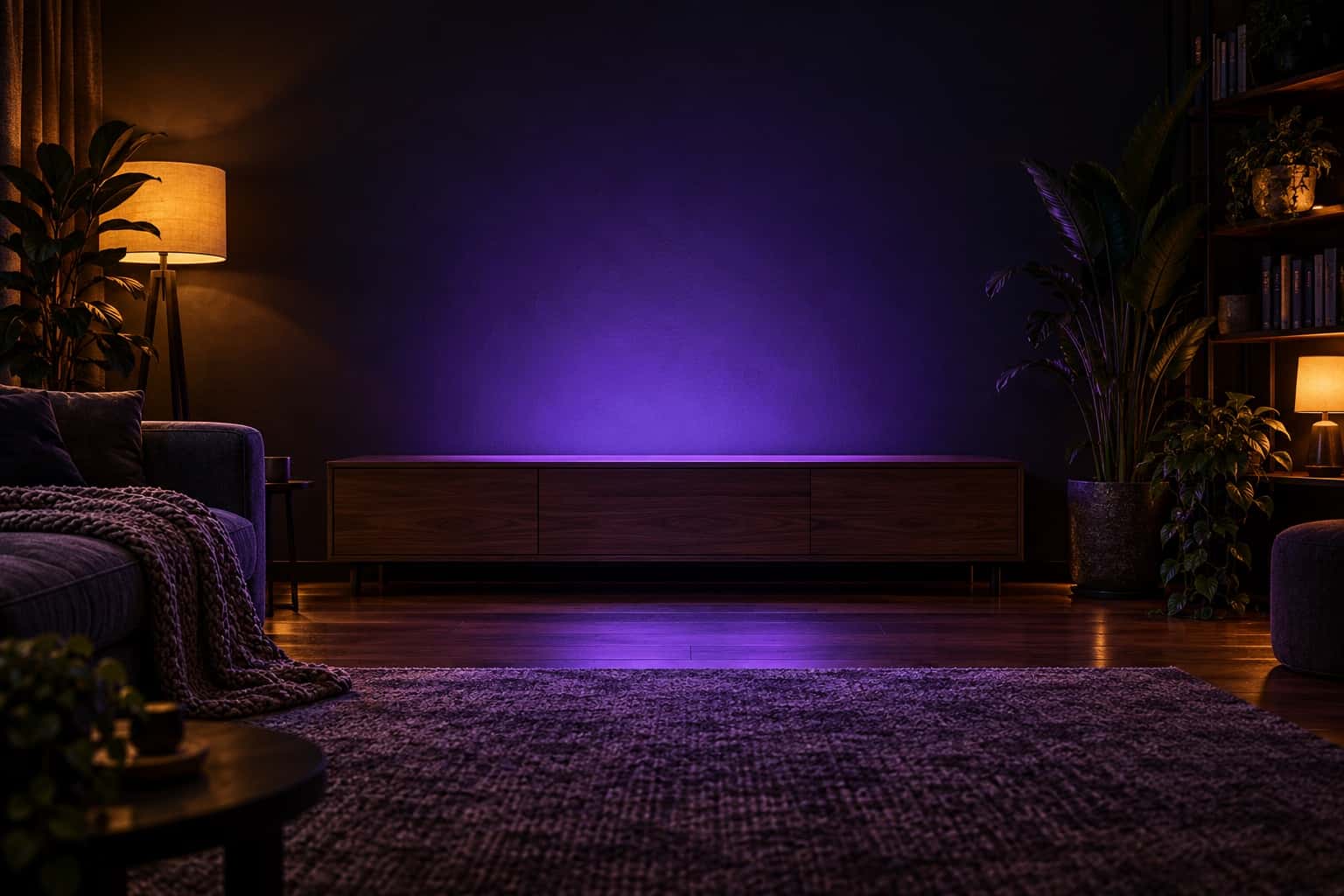

20:15
Example from a test TV
Your TV gets slower every year
Smart TVs come with dozens of apps you never asked for. Some show ads on your home screen, some send usage data, and all of them eat the little memory the TV has.
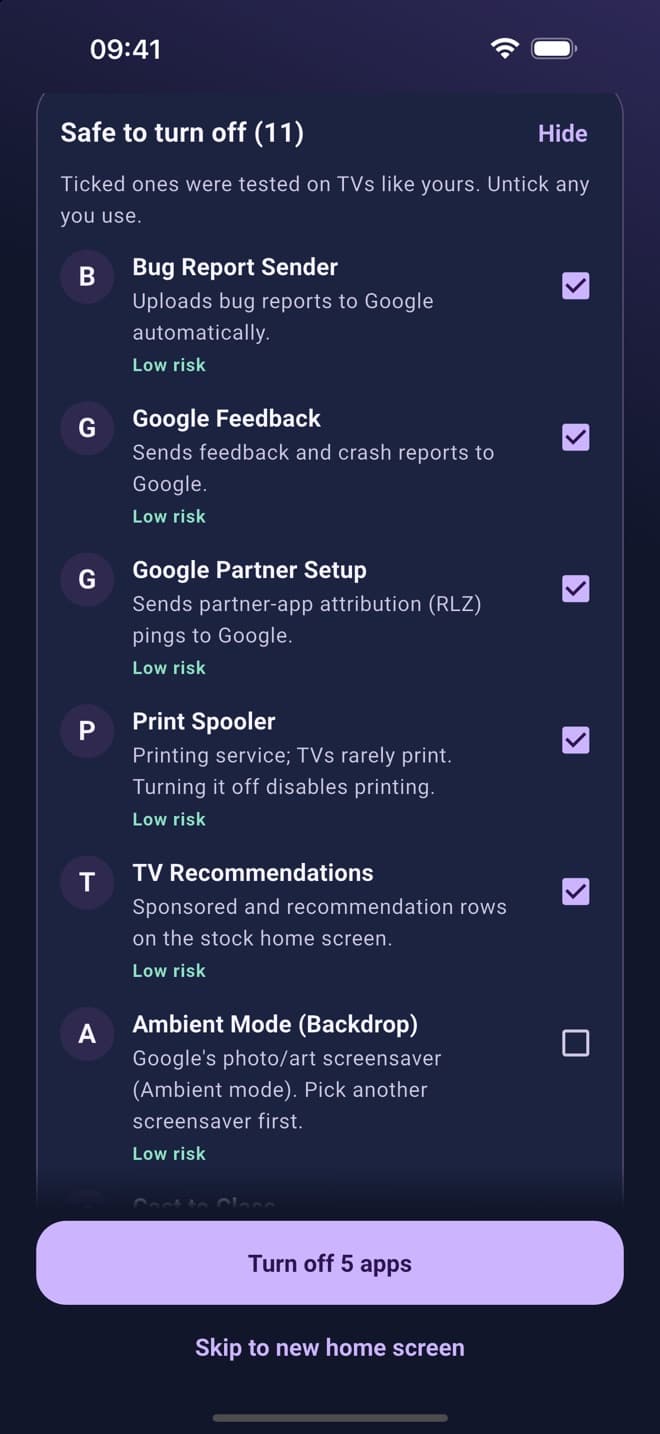
11apps safe to turn offon one of our test TVs
- Ads on your home screenSponsored rows and recommendations take over the stock home screen.
- Apps sending usage dataFeedback, bug-report and tracking services run quietly in the background.
- Less memory for what you watchEvery extra app takes a slice of the TV's small memory, so menus and apps lag.
How it works
Four steps, a few minutes, all from your phone over your home Wi-Fi.
01
Follow the guide
Step-by-step pictures for your TV brand show you how to switch on developer mode. Stuck? Take a photo of the TV screen and get the next step.
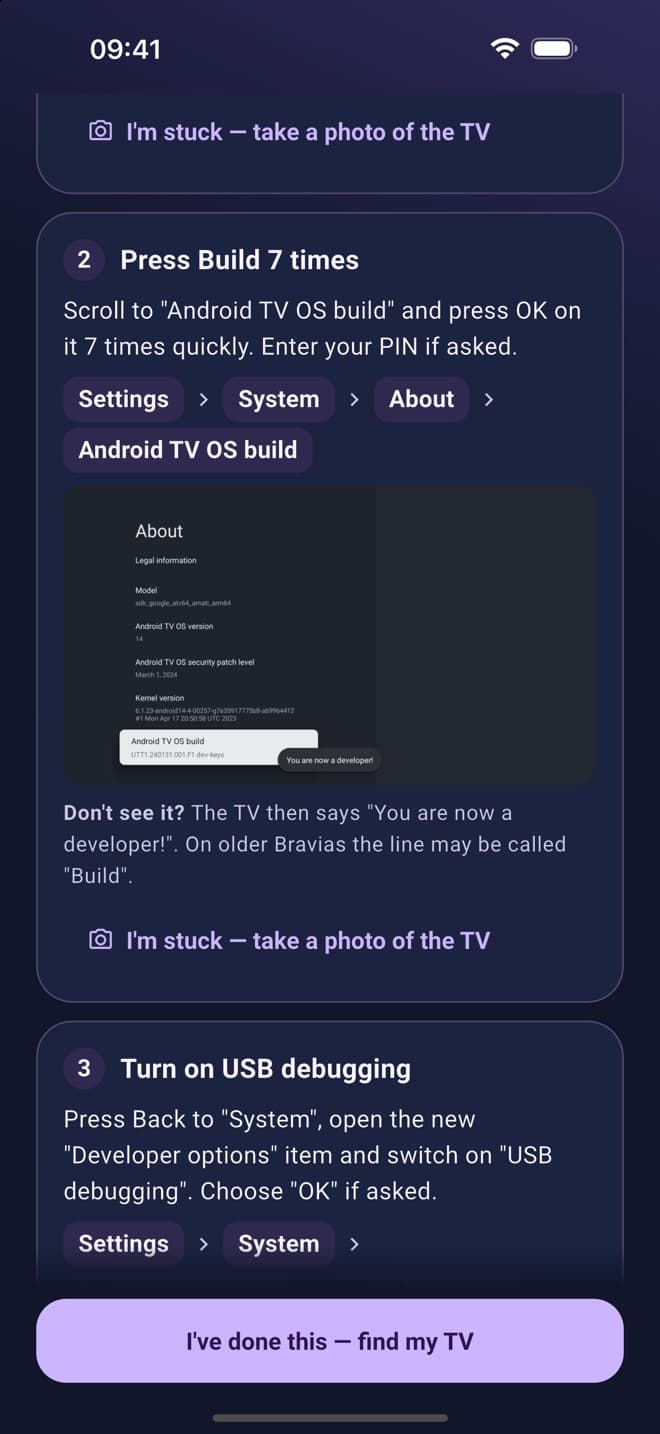
02
Connect & Allow
TV Cleaner finds your TV on the Wi-Fi and connects. Press "Allow" on the TV once.
Allow USB debugging?
The computer's RSA key fingerprint is:
5C:1E:A0:7B:…:9A:4F
✓Always allow from this computer
CancelAllow
03
Choose what to turn off
Every app is explained in plain language: safe to turn off, needed by the TV, or apps you use. Apps the TV needs are locked.
04
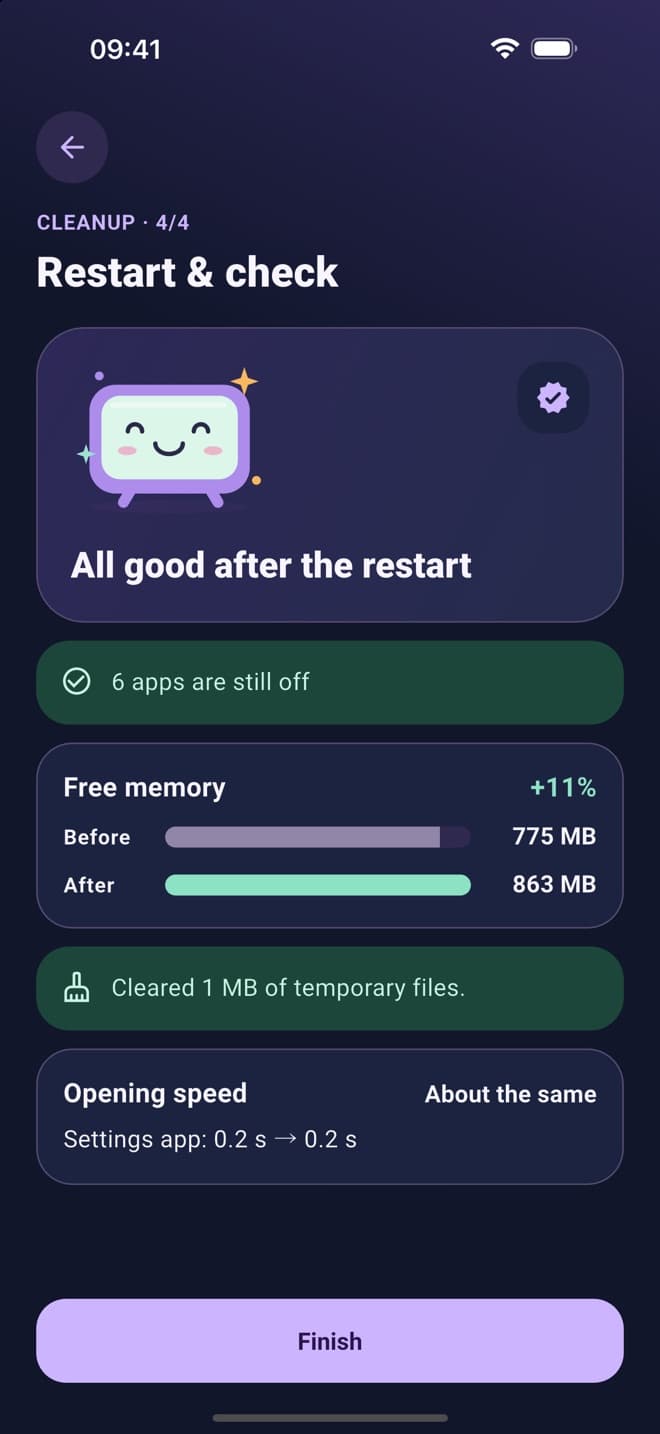
Restart & check
TV Cleaner restarts the TV, checks that everything stayed off and shows how much memory you got back.
Before / After
Same TV. A calm, ad-free home screen, and nothing deleted.
20:15
Safe by design
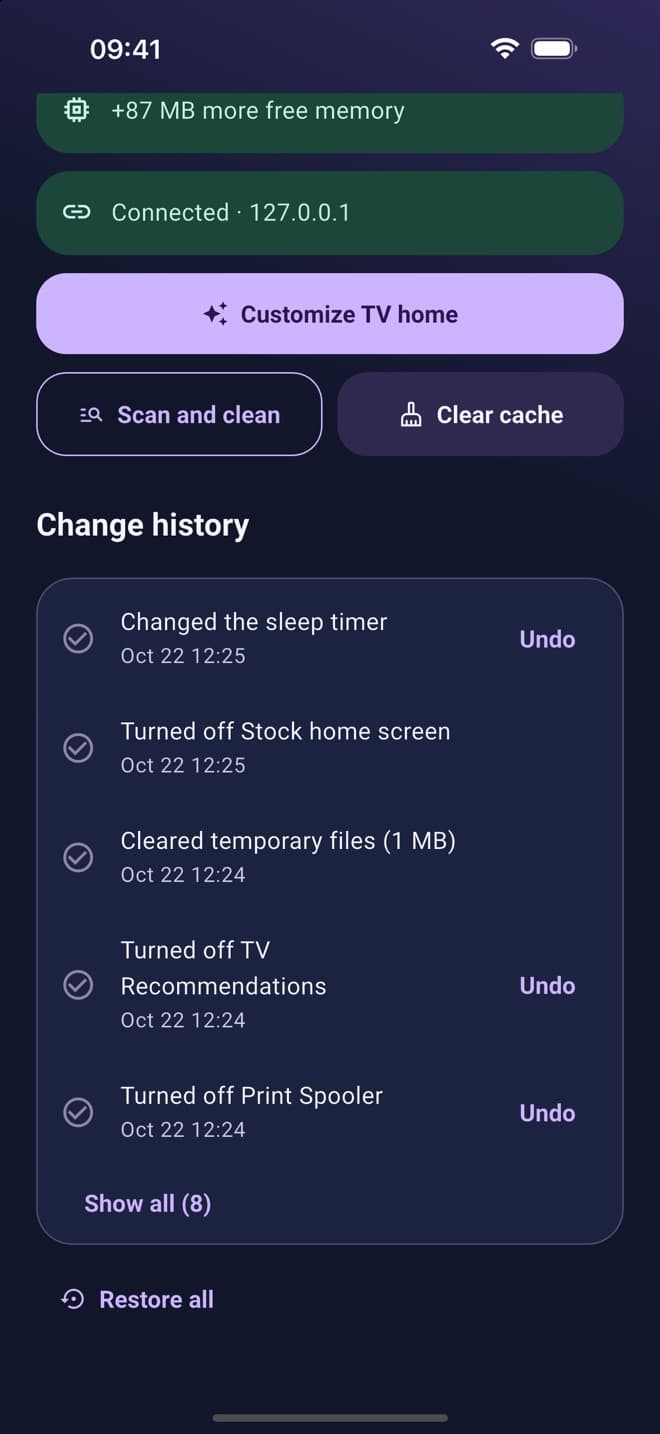
Every change is shown to you before it happens, and every change can be undone.
Nothing is deleted
Apps are only switched off. Switch any of them back on with one tap.
Backup first
A full backup of your TV's settings is saved on your phone before the first change.
Restore all
One tap puts the TV back exactly as it was.
Undo is always free
Undo, restore and change history never need Pro.
Works with your Android TV or Google TV
- Xiaomi
- TCL
- Hisense
- Sony
- Philips
- OnePlus
- Realme
- Nvidia Shield
- Chromecast with Google TV
…and most Android TV boxes.
Not supported: Samsung (Tizen), LG (webOS) and Amazon Fire TV don't allow this kind of cleanup. The app tells you so up front.
TV Cleaner Pro
Cleaning one TV is free, with no ads. Pro is optional and adds:
- Up to 3 TVs
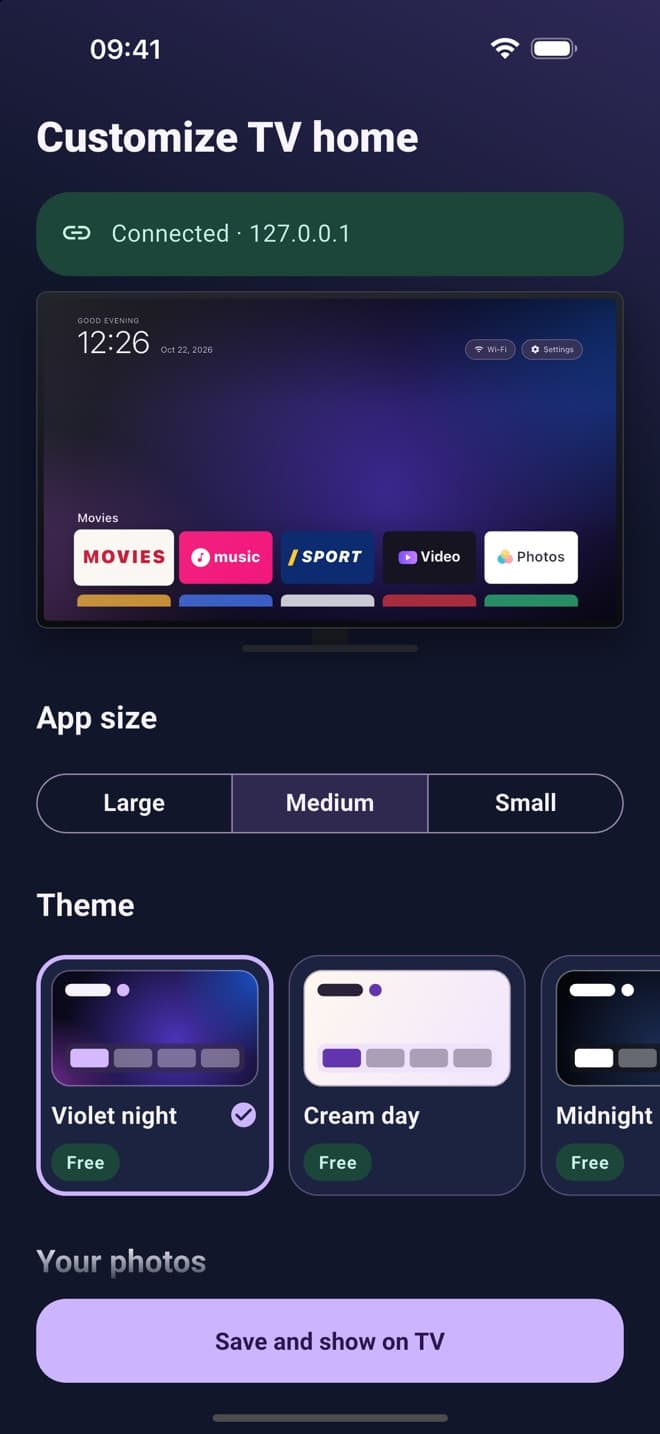
- Home screen themes and clock styles: big thin, flip, analog, minimal
- Weather and a calendar on the TV, with public holidays for supported countries
- Your own photos as the TV screensaver
- Kids timer reminder
- Unlimited photo help
- “Optimize again”: when a firmware update switches apps back on, one tap turns them off again
Prices are shown in the app, in your currency.
If Pro ends, your TV keeps working exactly as cleaned. Only the Pro widgets and themes switch off.
Good evening
Tuesday 20 October
⛅ 24° · Wed 26°/19° · Thu 27°/20°
Questions
Which TVs does it work with?
Android TV and Google TV from Xiaomi, TCL, Hisense, Sony, Philips, OnePlus, Realme, Nvidia Shield, Chromecast with Google TV and most Android TV boxes. Samsung (Tizen), LG (webOS) and Amazon Fire TV are not supported.
Can it break my TV?
Nothing is ever deleted: apps are only switched off, and apps the TV needs are locked. A full backup is saved on your phone before the first change, and “Restore all” puts the TV back exactly as it was.
Do I need a computer or a cable?
No. Your phone and TV just need to be on the same Wi-Fi. The app's guide shows you how to switch on developer mode on your TV, with pictures for each step.
Is it free?
Cleaning one TV is free, with no ads, and the photo helper is free for 3 uses. Pro is optional: monthly, yearly or a one-time lifetime purchase.
What happens if Pro ends?
Your TV keeps working exactly as cleaned. Only the Pro widgets and themes switch off. Restore, undo and history are always free.
What happens to my data?
The list of apps on your TV, its settings and backups stay on your phone. No account is needed, and sharing anonymous data to improve the app is opt-in and off by default.
Details are in our Privacy Policy and Terms of Use.

Ready for a faster TV?
Cleaning one TV is free. No account needed.